
AI model
Veo 3.1 on FlowBarAI GEN Studio
Veo 3.1 Fast is a cinematic video model available on FlowBarAI GEN Studio. It runs four catalog modes — text-to-video, image-to-video, reference-to-video and keyframe-to-video — listed at 32 Credits per second, at 720p with native audio and clips of 4, 6 or 8 seconds.
Veo 3.1 Fast generates video from text, from a single image, from up to three reference images, or from a first and last keyframe. The catalog describes every mode as cinematic generation with native audio, and the keyframe mode as first-and-last-frame video generation.
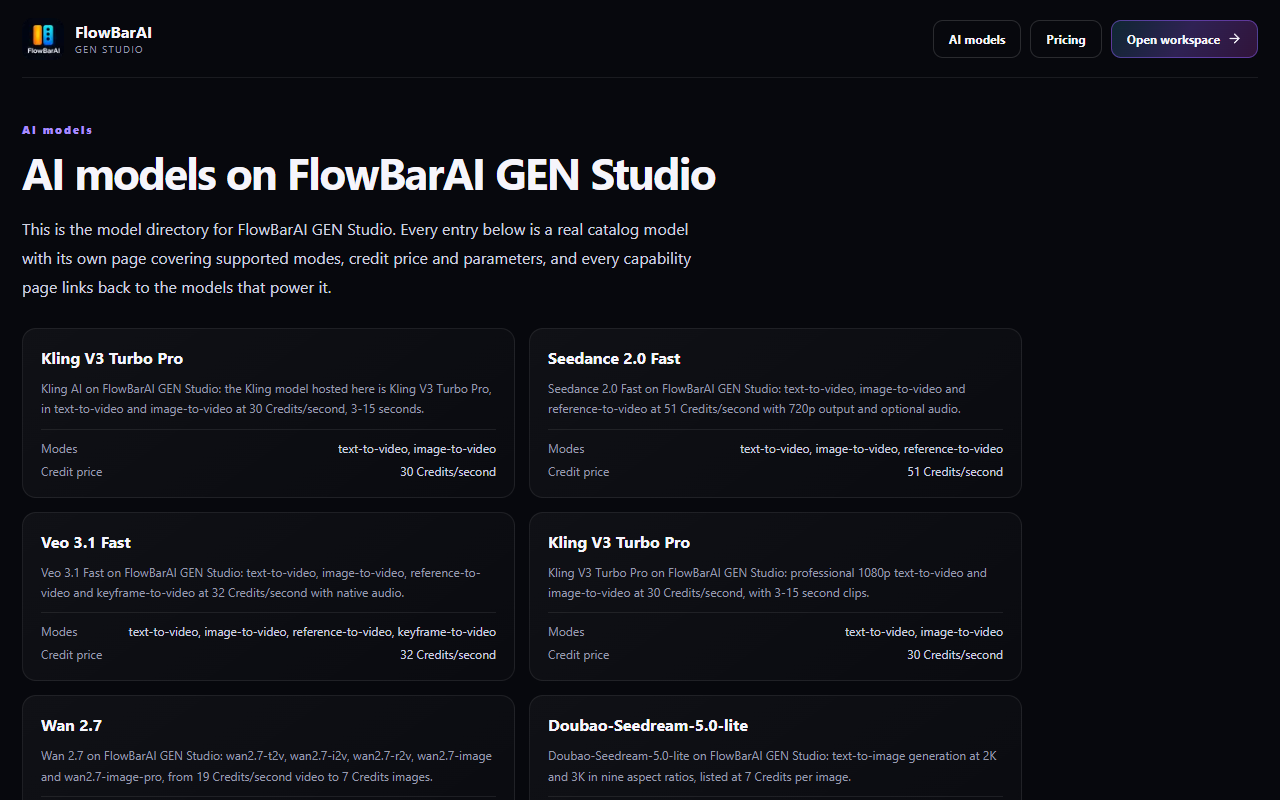
View the public GEN Studio catalog interface
Official background and further reading
These sources describe the model families and their developers. They do not establish which versions, features or prices are available on GEN Studio. Third-party details follow their current pages; use our catalog and final quote for this service.
Published . Reviewed and updated by FlowBarAI.
Veo 3.1 free trial and free plan limits
A free trial is available, no top-up is required to start, and failed requests are not charged. There is no permanently free tier: after the trial, Veo 3.1 Fast is pay-as-you-go in credits at 32 Credits/second, quoted again before each paid submission.
Veo 3.1 pricing and credit costs
All four catalog entries are listed at 32 Credits/second, and the catalog offers clips of 4, 6 or 8 seconds, which keeps the per-clip total small and predictable. The exact charge is quoted again before submission, and credits are the only unit the catalog publishes.
Veo 3.1 API access and catalog reference
Generation runs in the workspace under your account rather than through a public generation API. The model catalog is public as read-only JSON at https://gen.flowbarai.com/api/v1/models, which is where the entries and credit prices on this page come from, and FlowBarAI's main-site API programme publishes its own catalog and pricing at https://flowbarai.com/api/pricing.
Modes, prices and parameters
Every row below is one entry of the active model catalog. Prices are credit prices from that catalog; the final charge follows the parameters you pick and is quoted again before submission.
| Mode | Catalog model | Credit price | Billing unit | Parameters supported |
|---|---|---|---|---|
| text-to-video | Veo 3.1 Fast TextFlowBarAI Video · Veo 3.1 Fast TextDefaults: 720p, 16:9, native audio, 4 seconds | 32 Credits/second | second |
|
| image-to-video | Veo 3.1 Fast ImageFlowBarAI Video · Veo 3.1 Fast ImageDefaults: 720p, 16:9, native audio, 4 seconds | 32 Credits/second | second |
|
| reference-to-video | Veo 3.1 Fast ReferenceFlowBarAI Video · Veo 3.1 Fast ReferenceDefaults: 720p, 16:9, native audio, 4 seconds | 32 Credits/second | second |
|
| keyframe-to-video | Veo 3.1 Fast KeyframeFlowBarAI Video · Veo 3.1 Fast KeyframeDefaults: 720p, 16:9, native audio, 4 seconds | 32 Credits/second | second |
|
What Veo 3.1 Fast is good for
It suits shots where audio and cinematic motion are wanted without a separate sound step, and keyframe work where a scene has to land on an exact final frame, such as a logo reveal or a product shot that must match a still.
How Veo 3.1 Fast compares with the other models we host
| Model | Catalog credit price | What it is listed for |
|---|---|---|
| Seedance 2.0 Fast | 51 Credits/second | 720p, 4-15 seconds, up to 9 reference images |
| Kling V3 Turbo Pro | 30 Credits/second | 1080p, 3-15 seconds |
| Wan 2.7 | 19 Credits/second | 720p and 1080p, 2-15 seconds |
| C-Dance 2.5 | From 104 Credits at 480p / 5s; 231 at 720p; 570 at 1080p | text-to-video, 16:9 only |
| happyhorse-1.1-t2v | 28 Credits/second | 720p, 5 seconds, 16:9 |
Every model above is hosted on FlowBarAI GEN Studio and priced from the active catalog. Veo 3.1 Fast is the lowest-priced catalog video model that offers a keyframe-to-video mode, which needs exactly two images: a first and a last frame.
Veo 3.1 Fast questions
Is Veo 3.1 free to try?
A free trial is available and no top-up is required to start, and failed requests are not charged. After the trial, Veo 3.1 Fast is pay-as-you-go at 32 Credits/second. No unlimited free plan is advertised here.
How much does Veo 3.1 cost?
All four catalog entries — Text, Image, Reference and Keyframe — are listed at 32 Credits/second. The total follows the clip length you choose, and it is quoted again before submission.
Is there an API for Veo 3.1?
Generation runs in the workspace under your account rather than through a public generation API. The model catalog is public as read-only JSON at https://gen.flowbarai.com/api/v1/models, and FlowBarAI's main-site API programme publishes its own catalog and pricing at https://flowbarai.com/api/pricing.
How does Veo 3.1 Fast compare with Seedance 2.0 Fast?
Veo 3.1 Fast is listed at 32 Credits/second for 720p clips of 4, 6 or 8 seconds with native audio in every mode, and it is the only catalog video model with a keyframe-to-video entry. Seedance 2.0 Fast is listed at 51 Credits/second for 4 to 15 seconds at 720p and supports up to nine reference images.
What is keyframe-to-video?
You supply exactly two images — a first frame and a last frame — and the model generates the motion between them. The catalog lists it as Veo 3.1 Fast Keyframe at the same 32 Credits/second.
Does Veo 3.1 Fast generate audio?
Yes. Every catalog mode lists native audio as on, so no separate voice or sound step is required.